
Getting your TikTok account banned is a significant hassle and annoys people. It is incredibly frustrating because most users don’t know about TikTok bans, so they have difficulty dealing with them. That’s why today we’ll see how to get your banned TikTok account back.
Here are some things you need to know about your account suspension:
- Why is your TikTok account banned?
- Can you get your banned TikTok account back?
- How to get your banned TikTok account back?
We’ll answer these questions and help you get your account back by sharing some valuable tactics. So, let’s start this quest and figure out how you can get your TikTok account back.
What Types of Bans can a TikTok Account Have?
The first thing you need to know about TikTok bans is that they have different types. Some are easy to deal with, and others can be a nightmare. The kind of ban you receive depends on the severity of your offense. Here are four types of bans that admins can implement on a TikTok account.
1. Shadowban
Shadowban is like a bolt out of the blue – you can never see it coming. The worst part of this ban is that most people don’t even realize when they get shadowbanned. It’s hard to detect because a Shadowban comes without warning.
Once your account gets shadowbanned, your videos will stop appearing on the “For you” page, and their views will drop. Even then, you won’t be able to identify if your account is under a Shadowban or not. The only way to know if you’ve been shadowbanned is to search your account.
If it doesn’t appear in search results, you’ve received a ban. However, a Shadowban is temporary, and you can handle it easily.
2. Temporary Ban
Your TikTok account can get temporarily banned if you violate the platform’s community guidelines. Fortunately, if you figure out what you’re doing wrong and rectify it, the temporary ban gets lifted.
This ban lasts from one day to two weeks; once it ends, you can get back to uploading videos. However, if you keep violating TikTok’s community guidelines, your account can get banned permanently.
3. Permanent Ban
The permanent ban is bad news for a TikTok user. Why? Well, because there’s nothing you can do to recover a permanently banned account. It’s like capital punishment for TikTok users since there’s no way around it.
The only thing you can do to avoid getting permanently banned is to abide by the community guidelines. You will be safe from all bans if you create content that doesn’t violate the guidelines.
4. Banned from Live Streaming and Comment Section
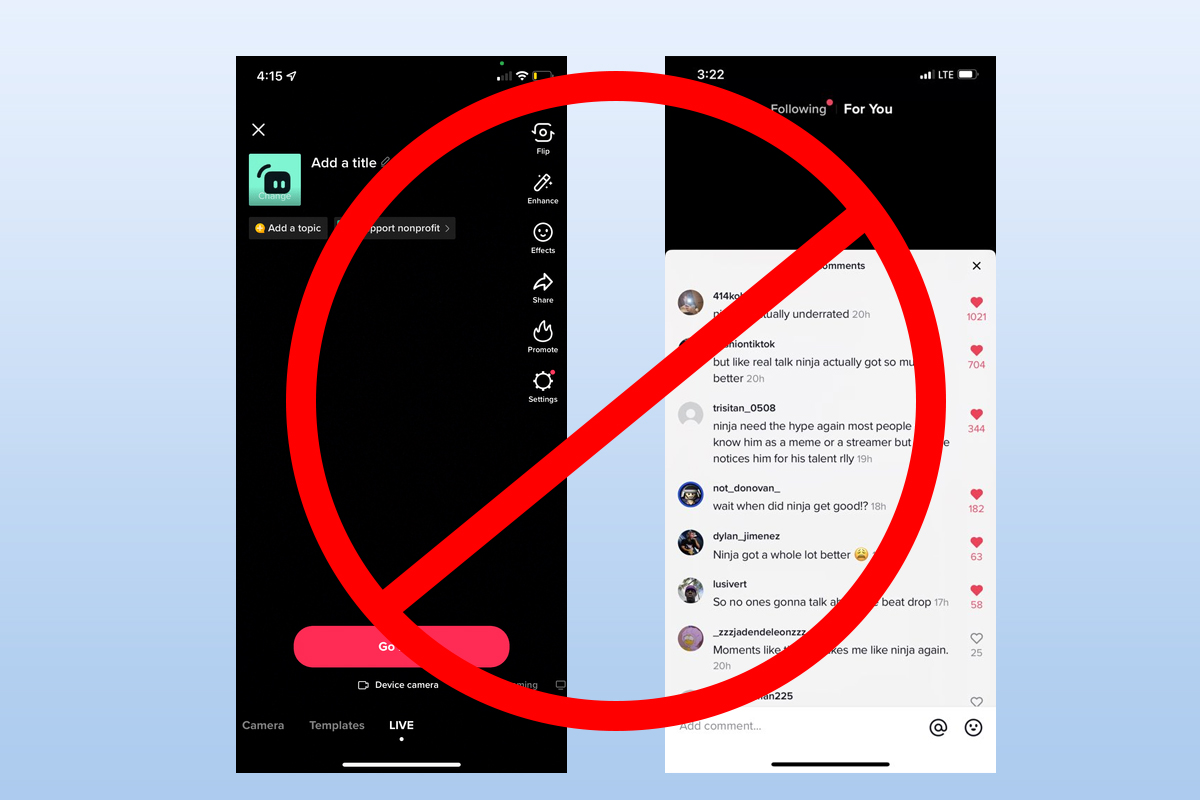
Sometimes TikTok inflicts a minor ban on an account as a warning shot. Instead of implementing a temporary ban right away, the admins first restrict you from live streaming and commenting. If that doesn’t work, they may decide to ban your account temporarily. But again, this ban is also a minor one and can be avoided easily by following community guidelines.
Can You Get Your Banned TikTok Account Back?
You can recover your account if your TikTok is banned temporarily or has received a Shadowban. It might take some time to rectify the issues that caused the ban in the first place. But once they get resolved, you’ll get your account back.
The bad news is that the same scenario doesn’t work for permanently banned accounts. Once your account gets banned permanently for repeated violation of guidelines, there’s no way to get it back. That’s why it’s best to avoid getting a permanent ban by following the platform guidelines.
Why is Your TikTok Account Banned?
A TikTok ban is a severe punishment mostly inflicted when a user violates community guidelines. Of course, other reasons might also cause your account to get banned. First, look at TikTok community guidelines, so you can abide by them and avoid getting banned.
- Don’t upload any content that jeopardizes minor safety. This includes uploading videos containing abuse, harm, or exploitation of minors.
- Don’t upload or stream content that promotes dangerous acts, negative behavior, or illegal activities.
- Don’t share sexually explicit content.
- Don’t upload gory or violent content.
- Don’t upload content that harasses or bullies a specific group or individual.
These are some of the most common community guidelines that people violate unintentionally. Keep them in mind and never break them if you don’t want any problem.
Some other reasons that might get your account banned are:
- Spiking your followers using a third-party application
- Lying about your age on the profile
- Getting reported by a user
1. TikTok Account Banned for No Reason
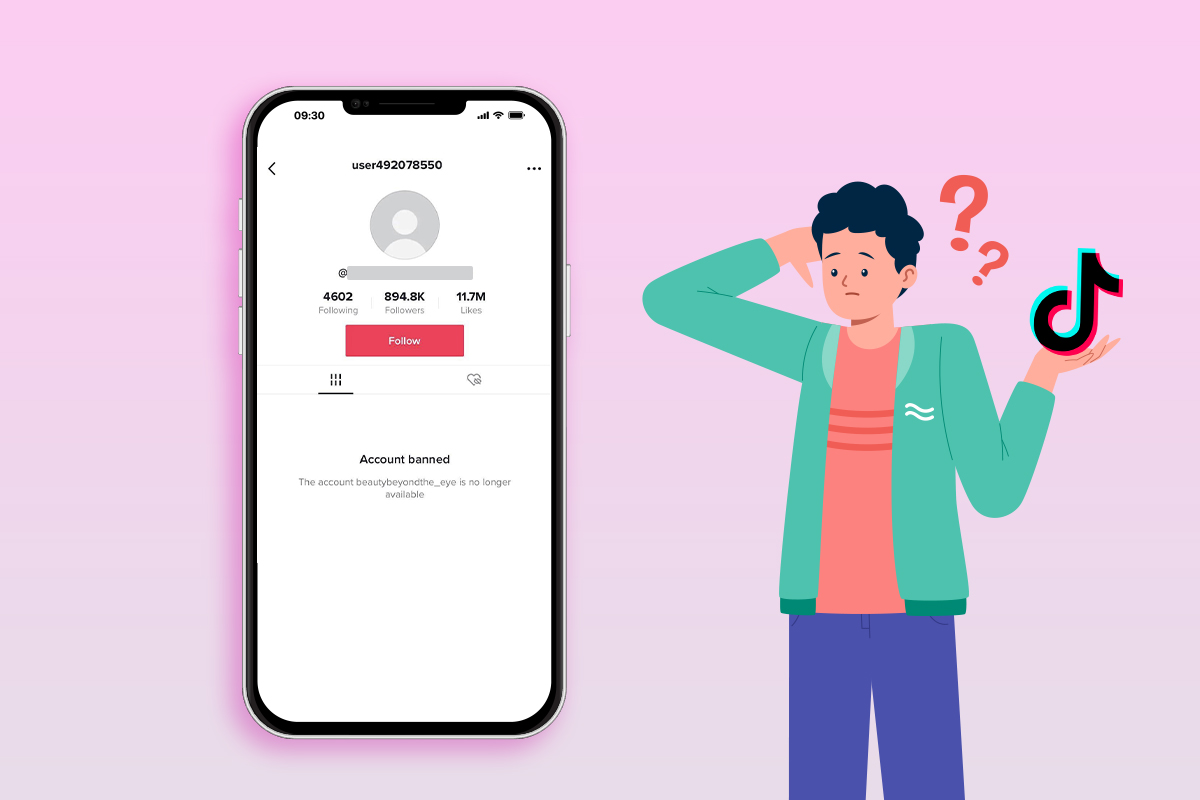
Sometimes TikTok accounts get banned for no apparent reason at all. Many such cases were reported in the past, most of them due to a glitch in the system or misunderstanding. The good news is that if your account gets banned for no reason, you can recover it quickly.
All you must do is contact TikTok’s customer support and file an appeal. They will review your request, and your account will be unbanned if they find you in the clear.
How to Get Your Banned TikTok Account Back?
There are two main tactics you can use to recover your TikTok account. The first requires you to file an appeal, and the second involves contacting customer support. Both effectively resolve this situation, so let’s explore them in detail.
1. Fill Out an Appeal Form
Submitting an appeal is the most used method to recover a banned TikTok account. Here’s you can do it:
Step 1: Open your latest TikTok app and “Log In” to your account.
Step 2: Go to your profile screen by tapping on your “Profile Picture.”
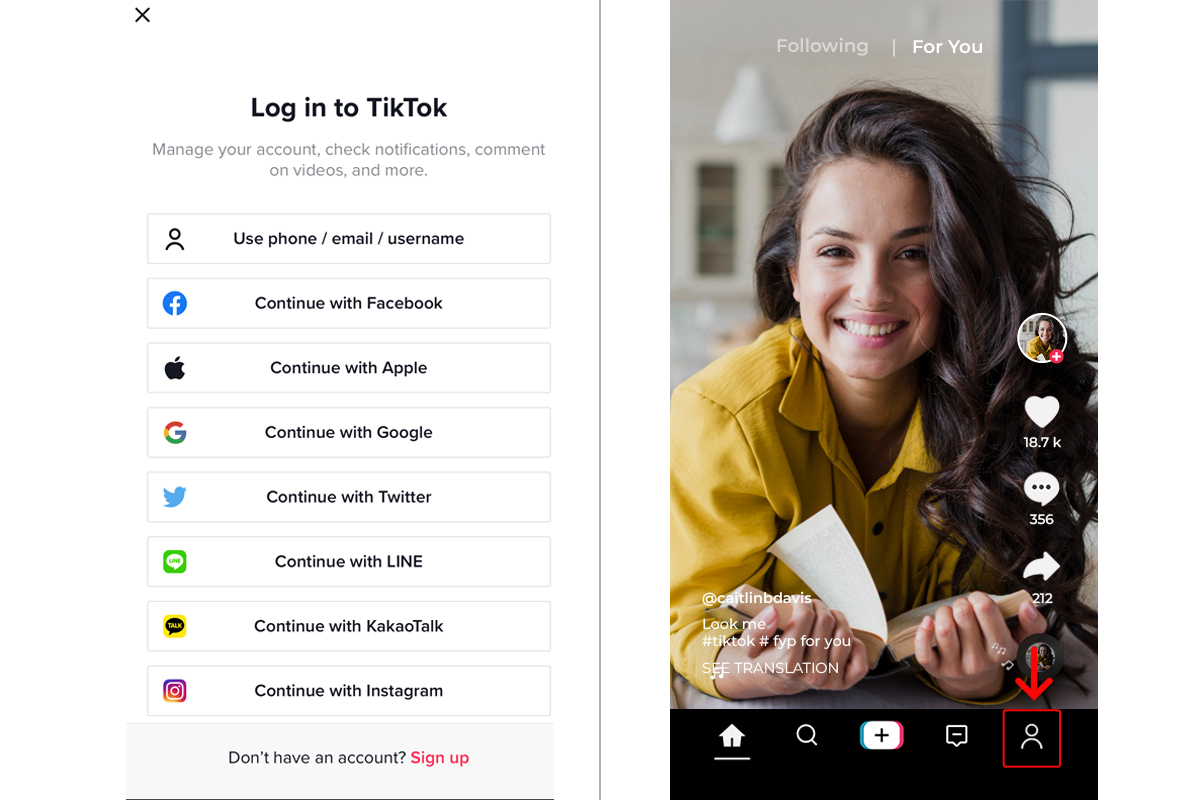
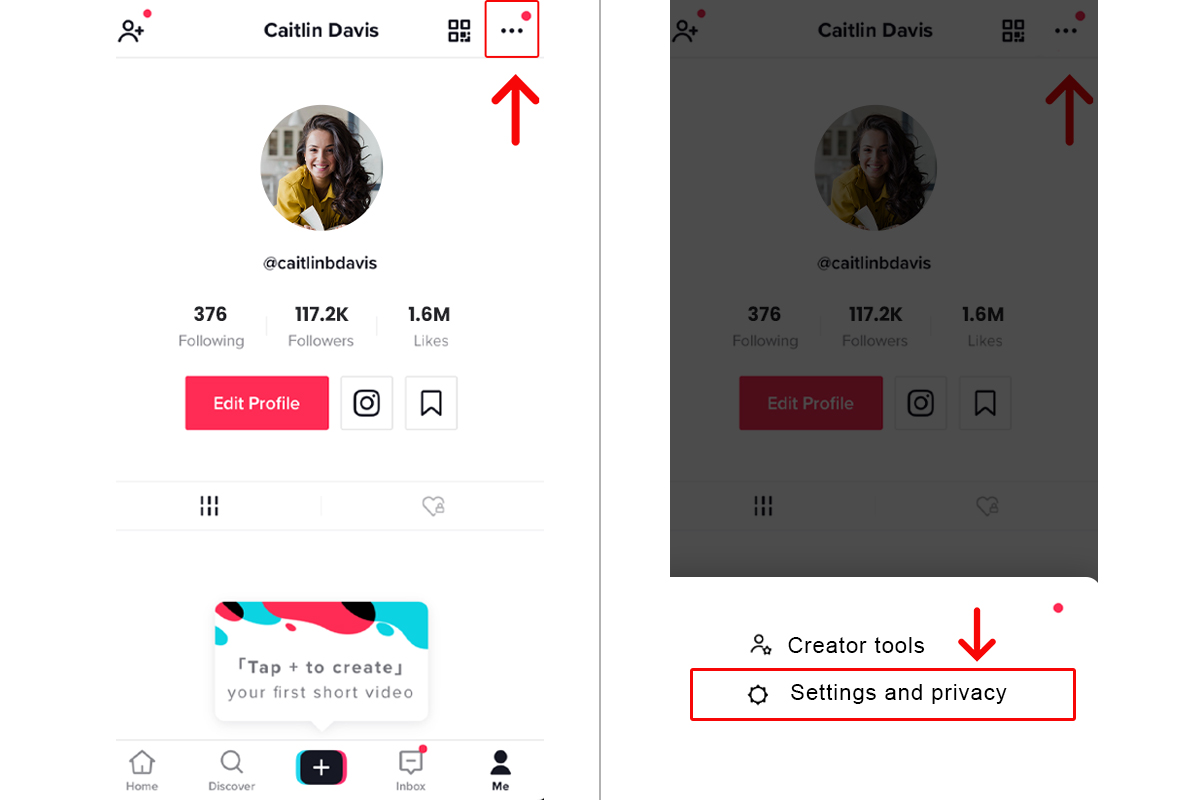
Step 3: Navigate to the top right side of your screen and tap on the “Three Dots” icon.
Step 4: From the options, select “Settings” and “Privacy.”
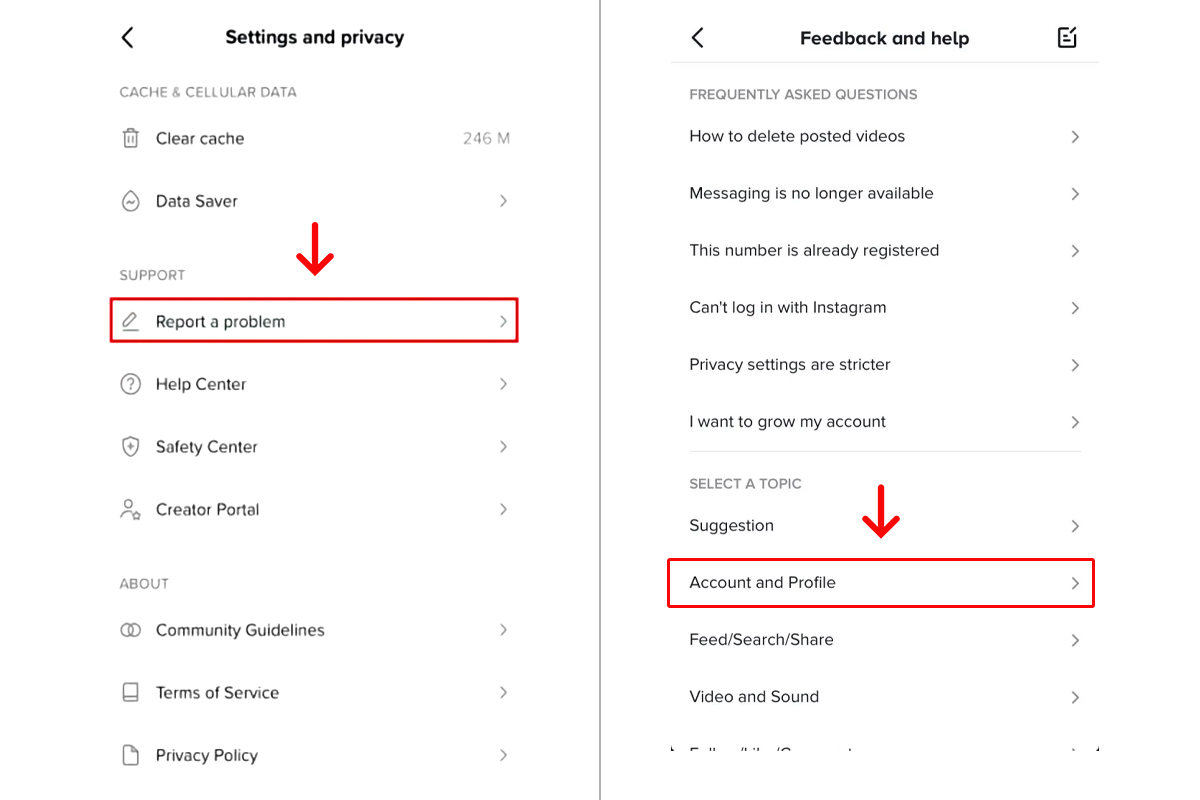
Step 5: Now, tap on the “Support” option. Once you’re there, tap on the “Report a Problem” button.
Step 6: Select the “Account” and “Profile” options from the list.
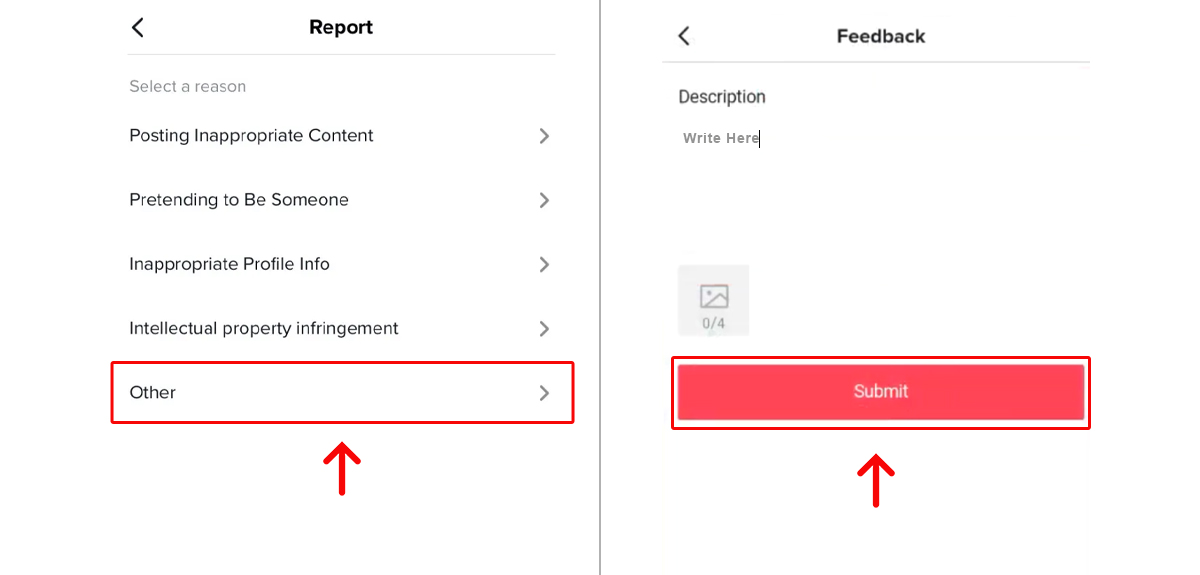
Step 7: From the sub-options, tap on the “Profile Page.” After that, tap on the “Other” option.
Step 8: Tap on “Still Have a Problem,” and a text box will appear. Write an appeal to convince the team that your account is banned due to a mistake.
Step 9: After that, tap on the “Report” button to submit your application.
So, you see, filling out an appeal form isn’t that hard. You need to write eloquently and convince TikTok admins to unban your account.
2. Sending TikTok Support Emails Externally
Contacting TikTok customer support via email is an excellent tactic for getting unbanned. You’ll be surprised that this trick works even for permanently banned accounts. However, use this tactic only when you cannot log in to your account. So, let’s see how you can directly send an email to TikTok customer support.
First, you need to find your region’s TikTok customer support email. Following are some of the well-known support emails:
Global: business-servicesupport@tiktok.com
United States: creator-marketplace-support@tiktok.com
Canada: creator-marketplace-support@tiktok.com
Europe: eu-creator-marketplace@tiktok.com
India: TCM_IN@tiktok.com
Japan: TCM-JP@tiktok.com
- Once you find the correct email address, send a message, and tell the team about your issue.
- Wait for a couple of days after sending the email. If you don’t get a reply, send another email to the same address.
Some experts suggest sending messages to all support email addresses for maximum impact. However, doing this can be risky because it falls under the criteria of social media spamming. So, instead of repeatedly sending emails to all addresses, wait for the team’s reply.
How Long Does TikTok Banned Account Appeal Take?
The TikTok support team is quite efficient, and they mostly unban your account within one to three days after reviewing the appeal. However, sometimes it might take longer depending on the time you took to file an appeal.
Experts recommend that you should file an appeal within 24 or 48 hours of getting banned.
This ensures that your application appears in front of the team quickly and your issue gets resolved. Remember that the TikTok supper team goes through thousands of applications daily. So, you must stay patient and refrain from filing multiple appeals as it might confuse the support team.
Can You Bypass a TikTok Ban?
There are only two ways that you can use to bypass a TikTok ban:
- Create a new account with a similar username. If you can’t work around a ban, create another account with a similar username. This will help get your followers back and allow you to start with a clean slate.
- Seize your activities for a while. If you’ve received a Shadowban or a temporary ban, you can bypass it by keeping a low profile. This will give TikTok algorithm time to review your account and unban it.
Of course, bypassing a TikTok ban is not as effective as getting unbanned officially. But it can be effective if you are unwilling to go through lengthy procedures or file appeals.
Frequently Asked Questions
1. How Can I Get My TikTok Account Unbanned Fast?
The fasted method to get your account unbanned is to file an appeal. Convince the TikTok team to let you off the hook in your request, and doing so can get you unbanned.
2. How Long is a Permanent Ban on TikTok?
Once your TikTok account gets banned permanently, it lasts forever if you do not file an appeal against the decision.
3. How Long is a Temporary Ban on TikTok?
The duration of a temporary ban on TikTok depends on the severity of your violation. It lasts from 24 hours to two weeks.


Leave a Reply