Summarize This Article with AI


Boost engagement on your Kick content with real views. Follow this simple guide to order genuine Kick views from us and enhance your visibility in just a few minutes. Whether for live streams, videos, or clips, we’ve got you covered to drive more organic interaction.
Step 1: Go to the Buy Kick Views Page
Start by visiting our Buy Kick Views page to begin your order.

Step 2: Select Your Kick Views Type
Choose one of the following Kick Views Types:
- Live Video Views: Real-time views delivered during your live stream, helping increase engagement and visibility as your broadcast happens. These views come from genuine users, ensuring organic interaction with your live content.
- Clip Views: Views generated for specific clips from your Kick content. These views are targeted to help increase the reach and engagement of shorter video segments, providing organic interaction with the most shareable parts of your videos.
- Video Views: Views delivered to your pre-recorded Kick videos, boosting the exposure and interaction of your content. These views are from real users, adding genuine organic growth to your videos as they gain more visibility and engagement after being published.
If you’re unsure how to obtain your Kick Livestream URL, click here: How to Find Your Kick Livestream URL

Step 2.1: If You Select Video Views:
- First,Select your desired audience location and choose Worldwide .
- Then, choose the number of views, ranging from 25 to 100,000 views.
- Then, enter your Kick Video URL and click “Buy” to proceed to checkout.
If you’re unsure about how to get your Kick Video URL, click here.

Step 2.2: If You Select Clip Views:
- Select your desired audience location and choose Worldwide.
- Choose the number of views, ranging from 100 to 100,000 views.
- Then enter your Kick Clip URL and click “Buy” to proceed to checkout.
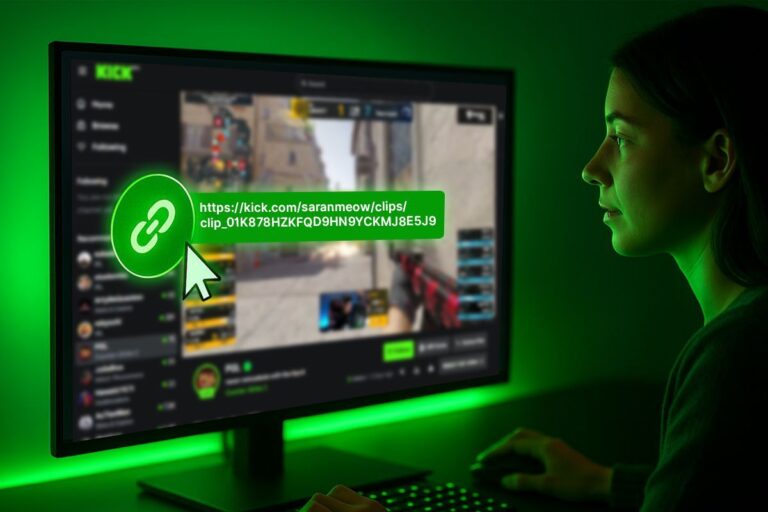
If you’re unsure about how to get your Kick Clip URL, click here:

Step 2.3: If You Select Live Video Views:
- For live video views, you can “select your live video views packages” among these packages:
- One-Time Package : This package delivers views to a single live stream at the time of the order.
- Weekly Package : When you purchase the Weekly Package, views will be delivered for all of your live streams over a 7-day period. Each viewer can engage with your stream for up to 60 minutes per session, ensuring steady interaction with your content throughout the week.
- Monthly Package : When you purchase the Monthly Package, we will provide views for all of your live streams over a 30-day span. Each viewer can stay engaged for a maximum of 60 minutes per stream, ensuring ongoing exposure for your content.
Step 2.3.1: If You Select One-time Package
- Select your desired audience location or choose Worldwide.
- Provide the desired watch time duration, ranging from 15 minutes to 300 minutes.
- Choose the number of live video views, ranging from 25 to 1000 based on your goal.
- Then, enter your Kick Profile URLand click “Buy Now” to proceed to checkout. Example of a Kick profile URL: https://kick.com/misszee

Step 2.3.2: If You Select Weekly or Monthly Package
- You can select the quantity ranging from 25 to 1000 based on your goal. This quantity of views is distributed to each live for 7 or 30 days based on your goal. If you select weekly, you will get views for 7 days or if you choose monthly package you will get views for 30 days
- Then, enter your Kick Profile URL to get weekly or monthly viewsand click “Buy Now” to proceed to checkout. Example of a Kick profile URL: https://kick.com/misszee
If you’re unsure how to obtain your Kick Profile URL, click here: How to Find Your Kick Profile URL
Important Notes:
- Make sure your Kick profile is public before placing an order to ensure smooth delivery.
- Double-check that you are entering the correct URL (Livestream, Video, or Clip) to avoid errors during checkout.

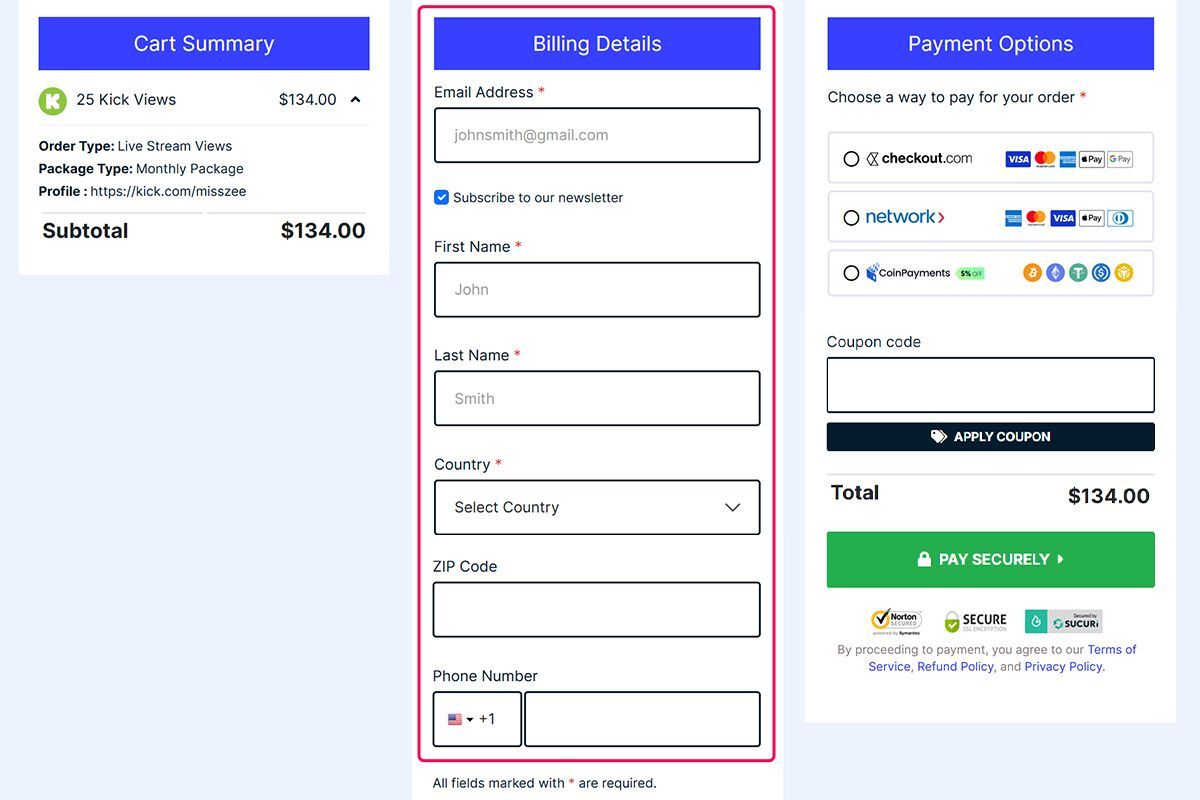
Step 4: Enter Your Billing Details
To complete your order, please fill out your billing information, which includes your email address, full name, country, and any other required details. This information is necessary to process your payment and ensure that your order is successfully completed.
Note: If your email is not accepted during the checkout process, please reach out to our customer support team for assistance.
Step 5: Select Your Payment Gateway
Choose your preferred payment method from the available options:
- Making Your Payment with Checkout
- Making Your Payment with Stripe
- Making Your Payment with Network
- Making Your Payment with Cryptocurrencies
Once you’ve selected your payment gateway, proceed to the next step.

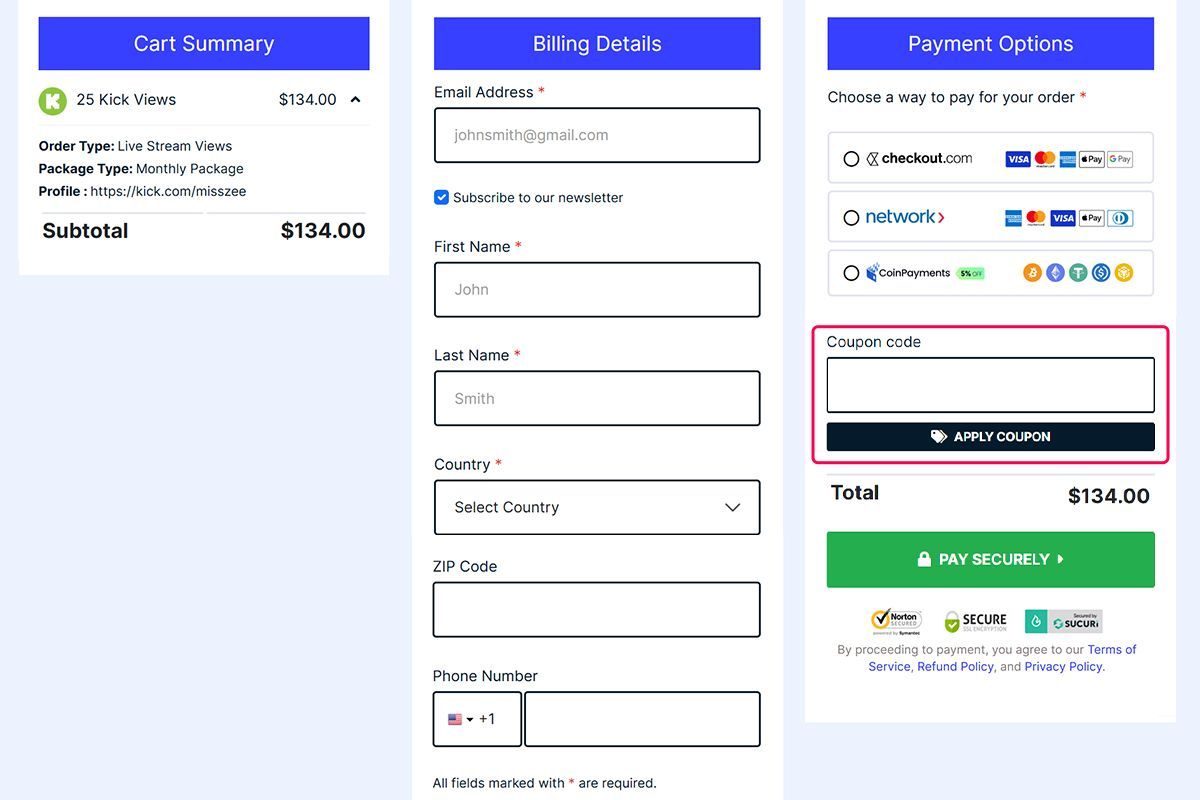
Step 6: Apply Coupon Code (Optional)
If you have a coupon code, enter it and click “Apply Coupon” to receive a discount. You can find our latest coupon codes here: https://www.mediamister.com/coupon-codes
Step 7: Complete Your Payment
Click “Pay Securely” to proceed to the payment page. Enter your payment details and click “Pay” to complete the transaction.

Step 8: Order Confirmation
Once your payment is successfully processed, you will be redirected to a Thank You page where your order ID will be displayed. Additionally, a confirmation email will be sent to you with all the details of your order. We will begin processing your Kick views order immediately, ensuring prompt delivery.