Summarize This Article with AI


You spent hours filming and editing, finally hit upload, then watched the view counter crawl to 12 and just sit there. So why are my YouTube videos not getting views? It’s the question almost every creator eventually runs into, and it stings every time.
If that’s where you are right now, you are part of the majority. Nearly 90% of videos on the platform never reach 1,000 views. The good news is that the reasons are usually pretty fixable once you spot them. Below, we’ll go through what’s actually blocking your videos, the fix for each one, and how to start growing faster from here.
Key Takeaway
- YouTube videos are not getting views due to weak titles, poor thumbnails, or slow hooks.
- YouTube pushes content through 3 sources: Search, Suggested, and Browse.
- Better keywords, faster intros, and consistent uploads lift views significantly.
- Niche focus and early engagement signals train the algorithm to promote your content.
- Promoting outside YouTube within the first 24 hours gives videos a critical early boost.
How YouTube Decides Who Sees Your Video?
Before we run through the YouTube videos not getting views reason list, here’s the foundation. YouTube pushes content through three main traffic sources — Search, Suggested, and Browse — each with different rules.
A video needs to win at least one to get steady views on YouTube. Struggling with YouTube videos’ low views? The root cause almost always traces back to these three.
| Traffic Source | How it Works | What Drives It |
|---|---|---|
| Search | Shows videos when people search in the search bar | Keywords, video's title, watch time |
| Suggested | Shows your video next to other videos | Click rate, viewer drop-off, same topic |
| Browse | Shows videos on the home page and feed | Thumbnail, channel authority, audience match |
9 Reasons Your YouTube Videos Are Not Getting Views & Ways to Fix Them
Here are the nine usual suspects behind not getting views on YouTube. Many creators are stuck in this exact spot right now. If your uploads keep ending up with little or no views, the cause is almost always somewhere in this list. Each one comes with a fix you can try the same day.
1. Your Video Is Not Optimized for YouTube Search (Low Impressions)
If your title, description, and tags don’t line up with what people type into search, the video appears nowhere. YouTube uses metadata to determine what the video covers and which potential viewers to show it to.
How to fix
This is where YouTube SEO comes in. Free tools like TubeBuddy help, but honestly, the search bar autocomplete tells you a lot — type your topic and the real queries pop up with hints about search volume.
Front-load your main keyword in the Title. Make the first two lines of the Description do the heavy lifting. Add 5 to 8 relevant tags.
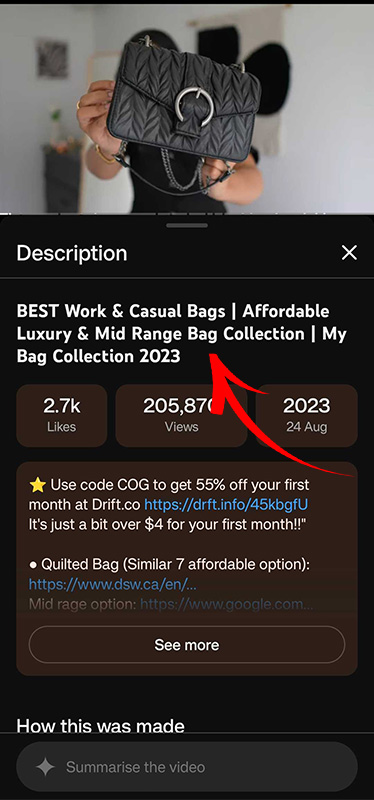
For example, the video titled “BEST Work & Casual Bags | Affordable Luxury & Mid Range Bag Collection” hit 200K views simply by packing searchable keywords into the title. Every word a shopper would type is right there, and that’s YouTube SEO working exactly as it should.
2. Your Thumbnail Is Not Getting Clicks (Low CTR)
YouTube ranks videos partly based on Click-Through Rate (CTR). If the thumbnail does not make viewers curious enough to click, the algorithm stops pushing the video almost immediately. A low-CTR video quietly disappears from recommendations within 24–48 hours of upload.
How to fix
Design a custom thumbnail with one clear subject, one strong emotion, and a max of 3 words. Contrasting colors grab viewers’ attention in a crowded feed.
In 2026, simple thumbnails outperform busy ones with red arrows and heavy text overlays. Test it at a small size to make sure it still reads clearly.
For example, MrBeast consistently pulls hundreds of millions of views per video using just a single face, one bright color, and almost no text — proof that simplicity wins on mobile screens.
3. Your Hook Is Too Slow — Viewers Leave in the First 30 Seconds
The YouTube 2026 algorithm tracks viewer drop-off in the first 30 seconds. If viewers leave early, the algorithm stops distributing the video immediately.
Most creators lose viewers by opening with long intros, channel animation sequences, or tired phrases like “Hey guys, welcome back to my channel.” These phrases tell the algorithm that there is low audience retention.
How to fix
Lead with the payoff. Tell the viewer what they’re about to get within the first 5 to 10 seconds — no logo splash, no “what’s up, guys.” Skip it. Jump in.
A sharp hook is what keeps your video retention, watch time, and audience retention YouTube numbers healthy. The algorithm reads those scores and decides how often YouTube pushes the full video into new feeds. For example, @veritasium opens every video mid-action, or with a question you can’t help but want answered.
4. Your Video Visibility Is Set to Private or Unlisted
This is the most common mistake for beginners. A video set to Private or Unlisted receives zero impressions from YouTube — the algorithm simply does not distribute it. The video exists on the platform, but no one outside of direct link-holders can ever find it.
How to fix
Head into YouTube Studio, click “Content”, and pull up the specific video. If Visibility shows Private or Unlisted, switch the YouTube visibility setting to Public and refresh the page to confirm the change has taken effect.

Neither of those settings lets a public YouTube video show up in search results or recommendations. Many creators don’t realize this is the issue until days later — it’s the first thing worth checking.
5. Some Technical Issues Killing Video Views
Some videos fail because of hidden settings the creator never noticed. These are the silent killers nobody warns you about, and they’re all quick fixes once you know where to look.
- Age Restriction Turned On: Age-restricted videos are pulled from recommendations and search results, sometimes without any clear warning. In YouTube Studio, open the video, hit Details, and remove the restriction if it shouldn’t be there.
- “Made for Kids” Setting Misapplied: This disables comments, end screens, and notifications. If your content isn’t aimed at kids, set it to “No” in the Audience section.
- Wrong Video Format or Low Resolution: The algorithm doesn’t accept low-quality videos. Most people prefer to watch videos in crisp 1080p or 4K resolution, so re-export to MP4 before you upload.
6. You Are Not Promoting Videos Outside YouTube
The algorithm needs early engagement signals to decide whether to push new videos. Without an early spike of views, watch time, and comments, the algorithm assumes nobody cares.
How to fix
Share videos wherever your people already hang out. Post a teaser to Instagram stories, drop the link in Facebook groups where it fits, hit the relevant forums, and don’t forget your email list. That outside traffic also gives Google something to chew on, bringing in more views months later.
The first 24 hours matter most. Light social media management — even basic tools like Buffer — keeps posts moving across social platforms. For example, @PatFlynn from Smart Passive Income hits every channel he has every time a new video drops.

7. You Are Not Engaging With Your Audience
Comments, likes, replies — these are the signals the algorithm watches to figure out whether anyone actually cares. Channels that bother to respond tend to get more recommendations, while silent channels get treated like ghost towns, no matter how good the videos are.
How to fix
Reply to every comment within the first 24 hours. Doesn’t have to be clever — a thank-you works. End each video with a specific question, not a generic “let me know what you think,” to drive more comments.
And use the Community Tab between uploads. Polls, behind-the-scenes stuff, whatever keeps the conversation going. Answer questions when people ask them, even the small ones. YouTube engagement signals add up fast once you actually start showing up.
8. You Are Not Posting Consistently
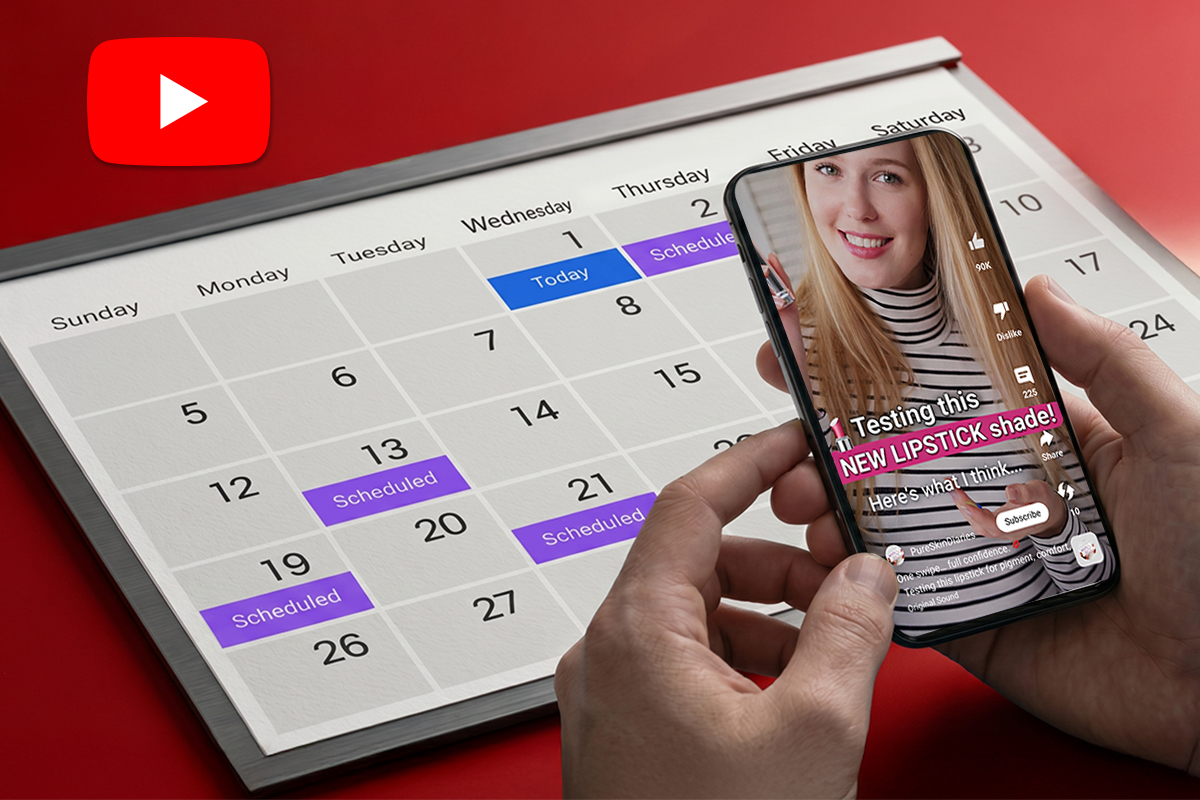
The YouTube algorithm rewards channels that upload consistently. Long gaps between new videos signal that the channel is inactive, which cuts how often it gets recommended. Subscribers also drift off and forget you exist, and the longer the silence, the harder it gets to win them back.
How to fix
Set a realistic posting schedule and stick to it. Scheduling one video per week beats three in one week, followed by a month of silence. Use YouTube Studio’s scheduling feature for new content, and batch-record on the days you actually feel like filming.
Even a simple bi-weekly rhythm works if you can keep it going. Consistent uploads also train your audience to come back to your channel the same day each week, which boosts your view count.
9. Your Channel Has No Clear Niche
The 2026 algorithm builds an audience fingerprint for each YouTube channel. If you upload gaming one day and cooking the next, it cannot identify who to recommend the channel to, so it ends up recommending it to no one. The algorithm gives up trying to figure you out.
How to fix
Pick one niche and stick with it for at least 30 videos. Your channel name, thumbnails, and topics should all point to the same theme so the algorithm and viewers know exactly what they’re getting.
Want to explore a second topic? Spin up a separate channel. Most successful YouTubers run focused channels rather than mixed ones. Targeting audiences in a particular niche is easy, and even a new or small channel can grow quickly when the niche is sharp.
Give Your Channel the Head Start It Needs
Growing from zero is the hardest part. The algorithm waits for early signals before pushing your content to new viewers, and without them, even well-made videos stay stuck. You can speed this up by buying YouTube views to trigger that initial momentum in the first week.
This works best alongside strong SEO, a sharp thumbnail, and consistent uploads — giving the algorithm just enough early data to start recommending your video to real viewers. Think of it as a small accelerator, not a substitute for good content.
Quick Fix Checklist — Run This Before Every YouTube Upload
Run through this before you hit publish. Five minutes here saves you from the most common reasons new videos die.
- The main keyword sits near the front of the Title.
- Description starts with a clear summary and 2 to 3 related keywords.
- 5 to 8 relevant tags on the same topic.
- Custom thumbnail: one subject, one emotion, three words max.
- First 10 seconds open with a hook, not a logo.
- Visibility set to Public.
- “Made for Kids” answered correctly, no wrong age restriction.
- Exported in 1080p or higher.
- End screens and cards point to other videos.
- A plan to share it across social platforms in the first 24 hours.
Stop Guessing, Start Growing
Low views are frustrating, but they are rarely random. Every video that doesn’t gain traction is lacking something, whether it’s a weak hook, a dull thumbnail, poor SEO, or the incorrect visibility setting.
Work through the nine reasons above one by one. Fix the title, sharpen the thumbnail, tighten the first 30 seconds, and share each upload outside YouTube. Stay consistent, stick to one niche, and reply to comments. Do that, and your view count will move in the right direction.